We use essential cookies to make our site work. With your consent, we may also use non-essential cookies to improve user experience and analyze website traffic. By clicking “Accept,” you agree to our website's cookie use as described in our Cookie Policy. You can change your cookie settings at any time by clicking “Preferences.”
Model Context Protocol

Test automation for AI agents

AI writes the tests. Testery orchestrates them — fast and flake-free.

The Testery MCP Server connects the Testery platform to Claude and any other MCP-compatible client, so your AI assistant can trigger test runs, inspect results, and rerun failed tests — all from a single conversation.

$ claude mcp add testery --transport http "https://mcp.testery.io/mcp"

Hosted and ready to use. Authenticate with your existing Testery account — no API keys to manage.

Bring Testery into your AI workflow

Built on the open Model Context Protocol, the Testery MCP Server exposes the Testery REST API as a set of tools your AI assistant can call directly. Ask it to kick off a regression, summarize the latest results, or rerun the tests that failed last night — and it takes real action on your test automation infrastructure.

image

Just describe what you want

Just ask in plain language — your AI assistant does the rest.

“Kick off the regression suite for the Checkout project against the staging environment.”
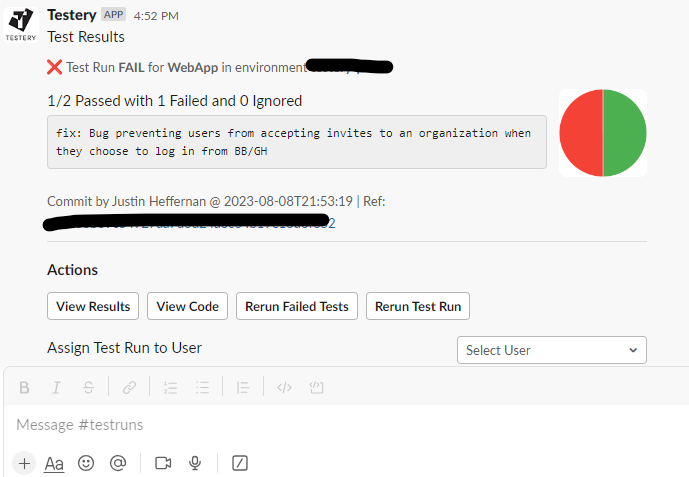
“What failed in last night's nightly run, and why?”
“Rerun only the failed tests from run #4821 and let me know when they pass.”
“Summarize the pass rate for the Web project over the last five runs.”

What you can do with the Testery MCP Server

A full set of tools spanning the resources you work with in Testery every day.

  • Trigger test runsStart a new test run for any project, environment, and test suite directly from a chat with your AI assistant.
  • Rerun failed testsQuickly rerun just the failed tests from a previous run to triage flakiness and confirm fixes.
  • Browse environmentsList and manage the environments your tests run against so your assistant always has the right context.
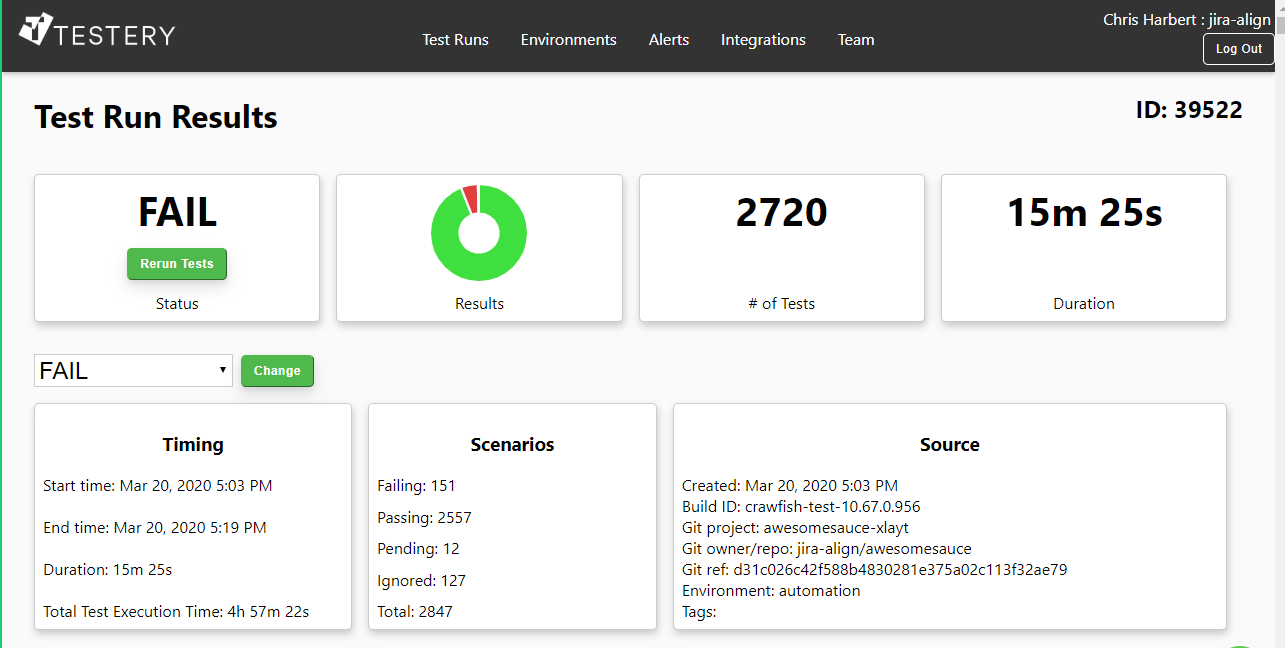
  • Inspect test resultsPull the latest runs, drill into individual test results, and have your assistant explain what failed and why.
  • Manage projects & test suitesList, create, and update the projects and test suites configured in your Testery account.
  • View users & organizationsLook up the users and organizations in your account to keep runs and results attributed correctly.
image

Test automation at the speed of conversation

Stop context-switching between your IDE, your CI tool, and the Testery dashboard. With the Testery MCP Server, your AI assistant becomes a first-class citizen in your testing workflow — kicking off runs, surfacing failures, and helping you investigate issues without breaking your flow.

Works with the AI tools you already use

Because it speaks the open Model Context Protocol, the Testery MCP Server works with Claude Code, Claude Desktop, and any other MCP-compatible client. The hosted server uses OAuth-based authentication tied to your Testery account, so your whole team can connect securely in seconds.

image

Who it's for

Developers

Trigger and triage test runs without leaving your editor. One command to connect, then drive Testery in natural language.

QA & test engineers

Investigate failures faster by letting your assistant pull results, group failures, and surface the runs that matter.

Engineering managers

Ask for pass rates, trends, and release readiness in plain language — no dashboards or query syntax required.

Frequently asked questions

What is the Model Context Protocol (MCP)?

MCP is an open standard that lets AI assistants connect to external tools and data sources. The Testery MCP Server implements MCP so assistants like Claude can take real action in Testery on your behalf.

How do I install it?

Run the command above to add the hosted server, then run /mcp in Claude Code to complete a secure login with your Testery account. That's it — no API keys to copy around.

Which AI clients are supported?

Any MCP-compatible client, including Claude Code and Claude Desktop. As more tools adopt the protocol, the Testery MCP Server works with them automatically.

Is my data secure?

The hosted server uses OAuth-based authentication tied to your existing Testery account and respects your account's permissions. Your assistant can only do what your account is allowed to do.